

SalesCrew
A sales CRM you work by hand or through your AI.
We built and run SalesCrew, where each action a rep takes on screen is also an MCP tool for Claude or ChatGPT.
- Client
- Hashlogics (our own product)
- Industry
- Sales CRM
- Built for
- Sales teams and agencies
- Engagement
- A product we built and run
SalesCrew is a sales CRM that Hashlogics built and runs as its own product. Each action a rep takes on screen is also an MCP tool. Many sales teams keep the pipeline in one tool, outbound in another, replies in a mailbox and ad spend in a dashboard. The tools rarely share data, so your reps reconcile it by hand. Point an AI assistant at that stack and it can read the CRM, but it can do little of the work in it. Our own sales team works in SalesCrew every day.
The problem we set out to solve.
Pipeline, outbound sends, replies and ad spend lived in separate tools, so reps reconciled activity across them by hand.
An AI assistant could read CRM data, but it could take few of the actions a rep takes.
When AI tools did act, no single place showed what they had done or let you stop them.
Agencies kept many clients in one shared database, which raised hard questions about data isolation.
Tying ad spend to a lead, and that lead to a deal, meant combining ad data and CRM reports by hand.
What success needed to look like
- A lead moves from first touch to a deal inside one system.
- Reps can reach their CRM actions through MCP as well as the screen.
- AI-written messages get a human review before they go out.
- Each client works in its own isolated database.
- Sales and marketing numbers can be read side by side.
How we delivered it.
- 01
Put the pipeline at the core
The core is the records your reps touch every day: contacts, companies, deals, tasks and meetings. Outbound, the inbox and marketing data are built around it.
- 02
Give each action a twin
Each action a rep takes on screen is also an MCP tool with the same effect. Your manual path keeps working when automation is off.
- 03
Scope the assistant like its owner
An MCP token carries the same three scopes as your login: channel, profile and area. Your assistant can reach what you can reach.
- 04
Keep a person on outside sends
By default, a reply drafted by the inbox agent waits in an approval queue until you approve or reject it. One kill switch stops every agent.
- 05
Give every client a database
Each client instance runs on its own Supabase stack, so you get a separate Postgres database, storage and functions.
What we built.
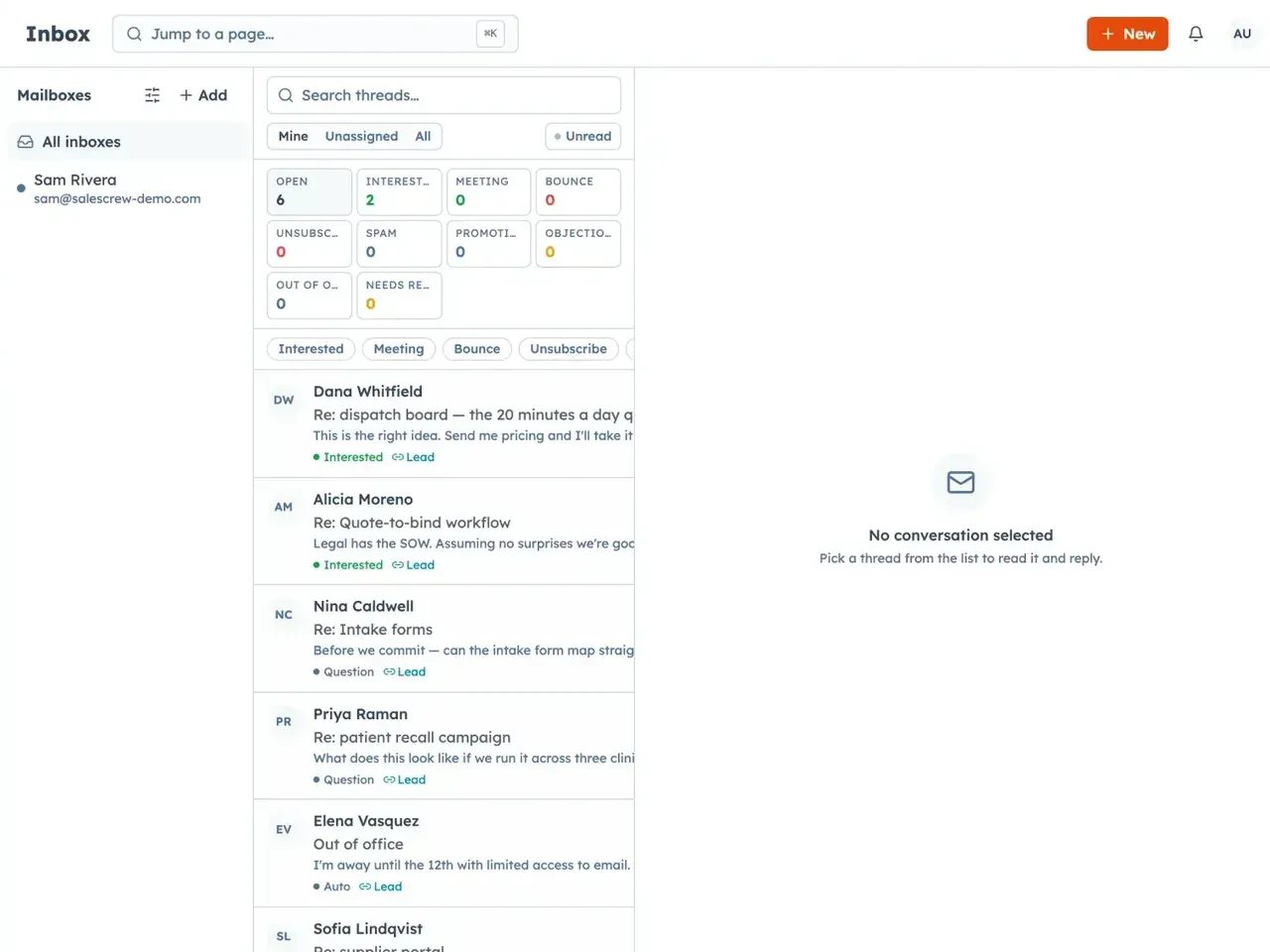
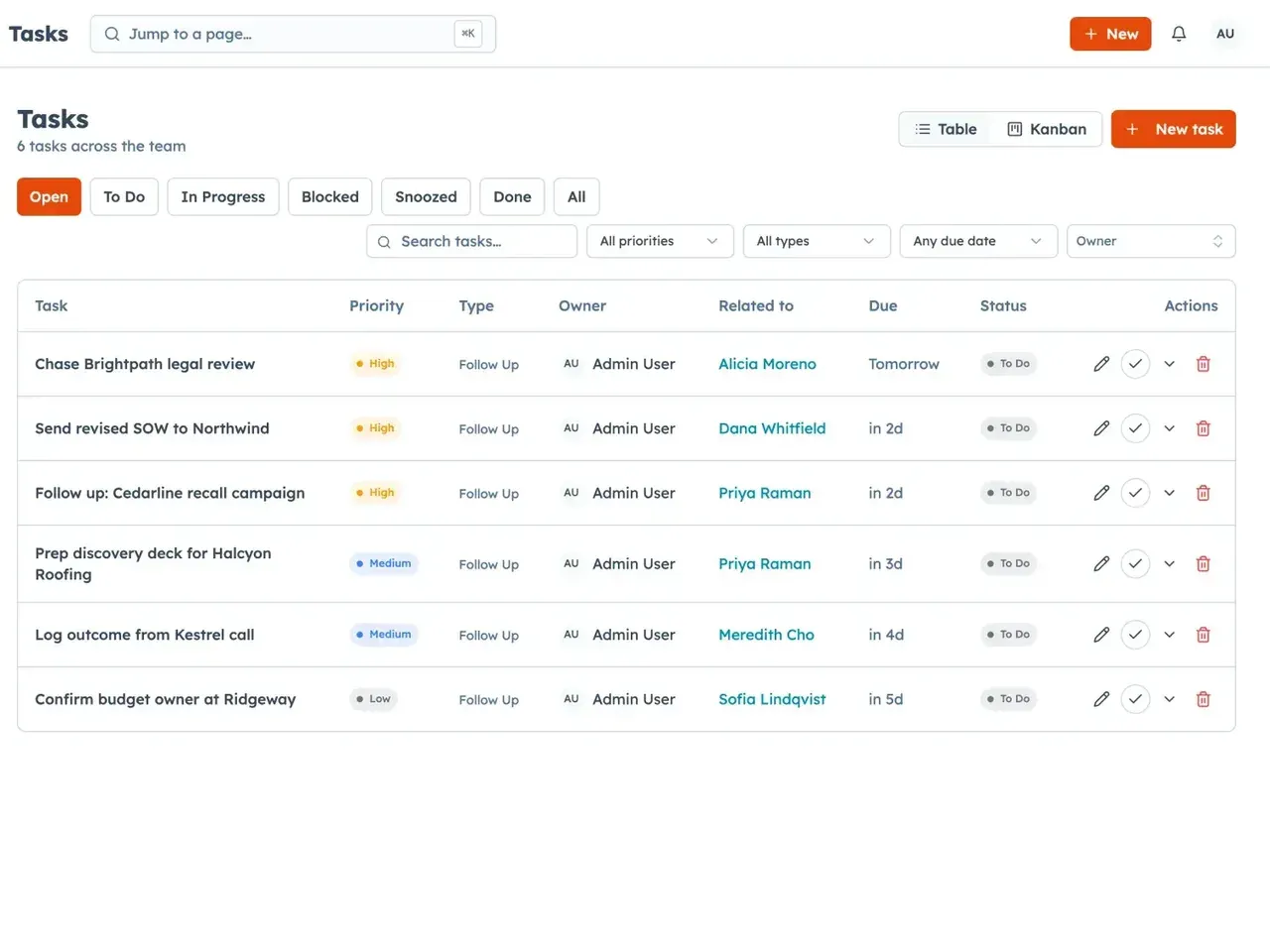
SalesCrew keeps your whole sales day in one place. Your deals sit on a kanban board with stages and a weighted forecast. You build segments from a data bank, and suppression is applied the moment an audience is frozen. Multi-step cadences then send from a pool of your mailboxes under daily caps, and a reply pauses the cadence for that contact.
What sets it apart is the MCP server. MCP (Model Context Protocol) is the standard AI assistants use to call tools. Connect Claude, ChatGPT, Cursor or a custom agent to your CRM. It can then move a deal, draft a reply, add a note or pull channel economics. If you'd rather do it by hand, each of those steps is still a button on your screen. Either way, the audit log records who acted, down to the token or agent.
- Segment frozenSuppression is applied as the audience is locked.
- Cadence sendsSteps go out from the mailbox pool under daily caps.
- Reply landsThe inbox sorts it by rule and the cadence pauses.
- Answer goes outYou write it, or your assistant drafts it through MCP.
- Deal movesThe stage changes on the kanban and the audit log notes who.
Each step exists as a screen and as an MCP tool, so you or your AI assistant can take it.
What's in the product.
If you run security reviews, you'll find one database per client, scoped tokens, an audit log and a data export. If you're a small team, the short version is that it shipped and it's live at salescrew.io.
Tech stack
- React
- TypeScript
- Supabase
- PostgreSQL
- Edge functions
- Supabase Vault
- Vercel
- MCP server over HTTP
AI clients over MCP
- Claude
- ChatGPT
- Cursor
- Custom MCP agents
Integrations
- Gmail, Outlook and cPanel mail (IMAP/SMTP)
- Calendly
- Apollo
- Instantly
- Salesforce
- Upwork
- Fiverr
Marketing data
- GA4
- Google Search Console
- Bing
- Google Ads
- Meta Ads
- PostHog
One rule ran through the whole build: the twin. Each time we added a button, the same action had to exist as an MCP tool, with the same effect and the same permission checks. That's a lot of places where two paths can drift apart. Holding that line is why your assistant can do your CRM work, and why you can always take it back.
Some of the systems we have shipped
Read next
- Products built by Hashlogics →The products we build and run ourselves.
- AI-native CRM: what it means →What it takes for a CRM to let agents act, and six tools that qualify.
- How to connect an AI agent to your CRM →The steps for giving an assistant safe access to CRM data and actions.
- SaaS MVP development →How we take a product like this from first version to production.
