

Functional Fox Smart Site
A live page for every campsite, one scan away.
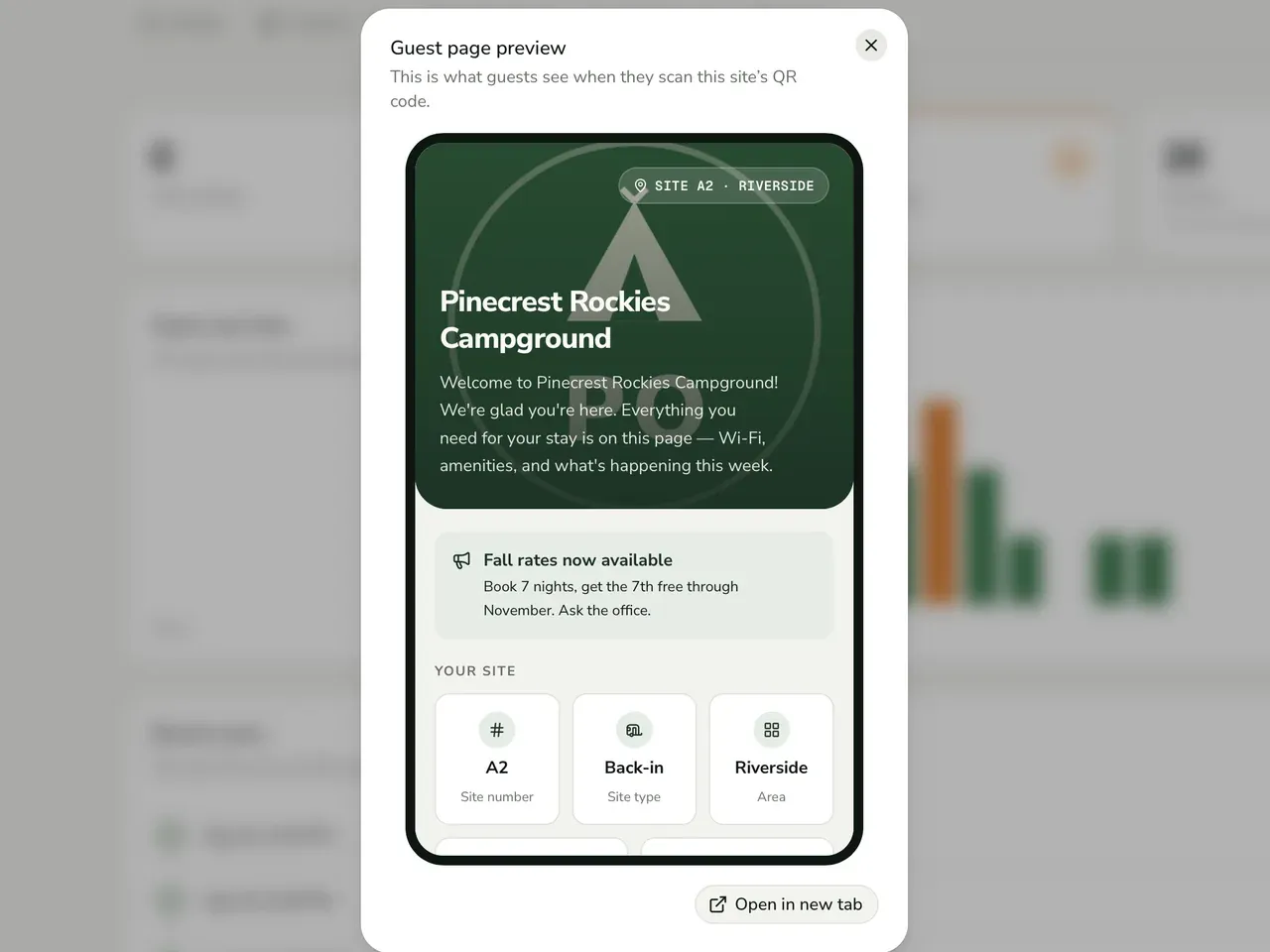
Guests scan the marker at their campsite and get that site's page with no app or login. Each park keeps its own content current.
- Client
- Functional Fox
- Industry
- Outdoor Hospitality (RV parks and campgrounds)
- Engagement
- Web app · Mobile-first guest experience · Multi-tenant SaaS portals
Hashlogics built Smart Site for Functional Fox: the guest page, park manager portal and admin portal behind a QR code at every campsite. Functional Fox supplies the solar-lit Smart Site Markers to RV parks and campgrounds. Hashlogics built the software the code opens. A guest wants the Wi-Fi password, check-out time and park rules for their exact site. A printed handout can't change.
Why a printed sign can't hold the answers
Guests keep asking the front desk the same questions: Wi-Fi, check-out time, rules.
Printed handouts and binders go out of date and cost money to reprint.
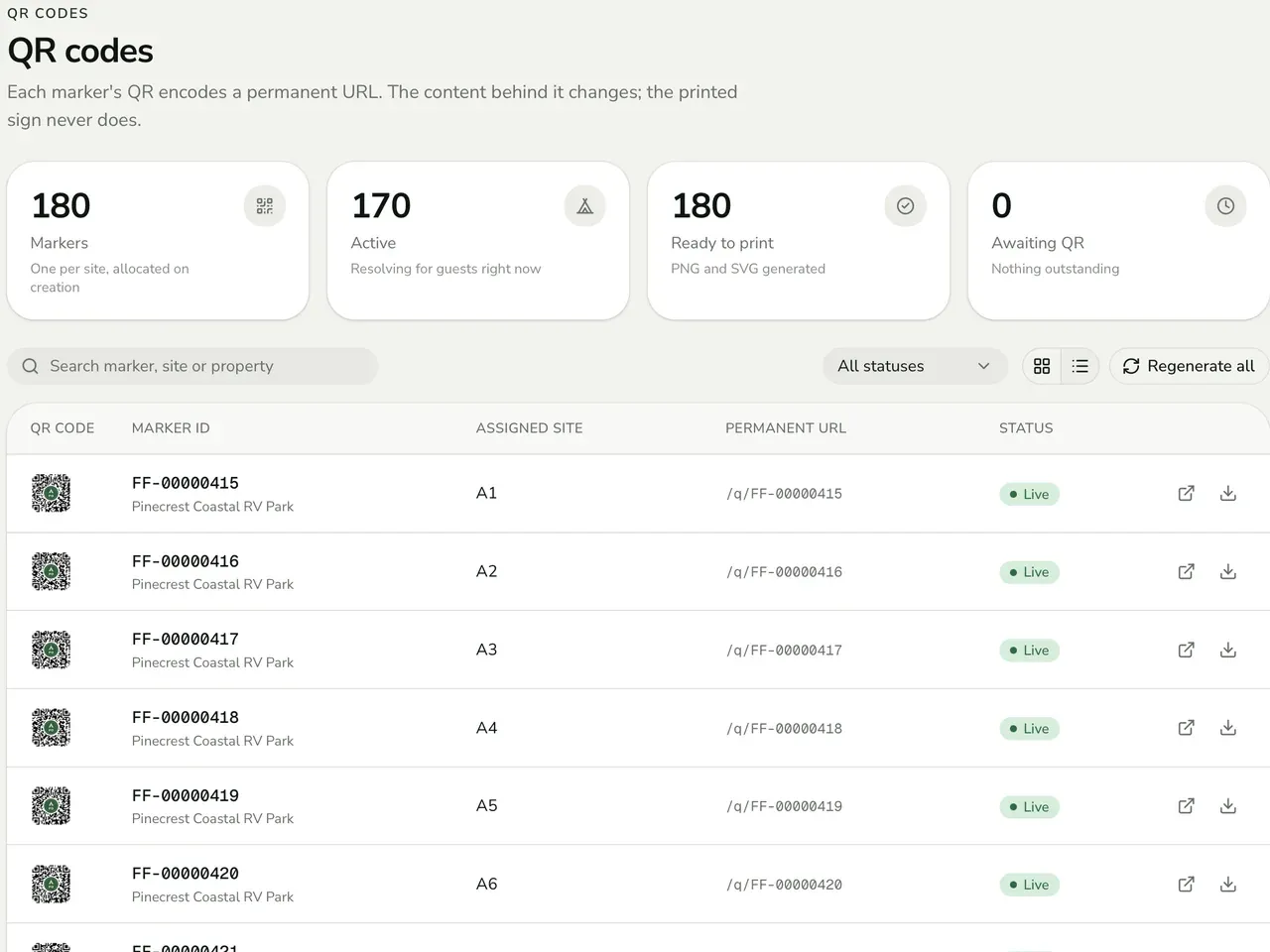
A URL printed on a metal sign can never change, a rule most web systems don't meet.
Maintenance issues are reported in person or by phone, with no tracking.
Thousands of signs had to run across many independent parks, and no park could see another park's data.
What success needed to look like
- A guest scan opens the right site's published content, with no login and no app.
- A park can't reach another park's data, even with a tampered URL or a direct API call.
- Park users can't raise their own privileges.
- Suspending an account or deactivating a marker stops that content right away.
How Hashlogics built it, tenant rules first
- 01
Map the chain from customer to scan
We modeled the tenancy first: customer, property, area, site, marker, scan.
- 02
Put the tenant rules in the database
Row-level security went in with the data foundation, and anonymous visitors have zero direct table access.
- 03
Keep the guest page light
Guests download a small page of their own, kept apart from the portal and admin code.
- 04
Build both portals on the same rules
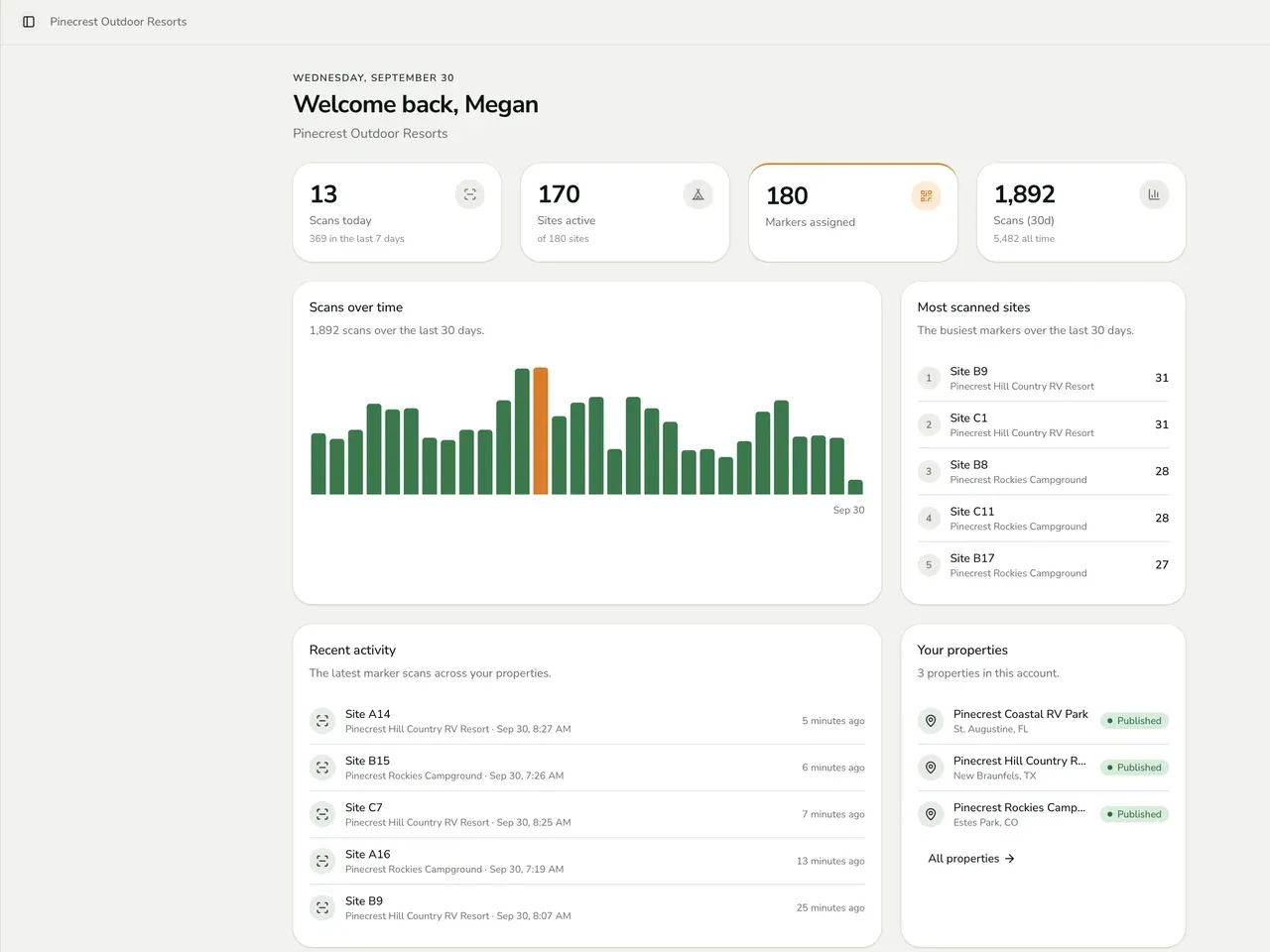
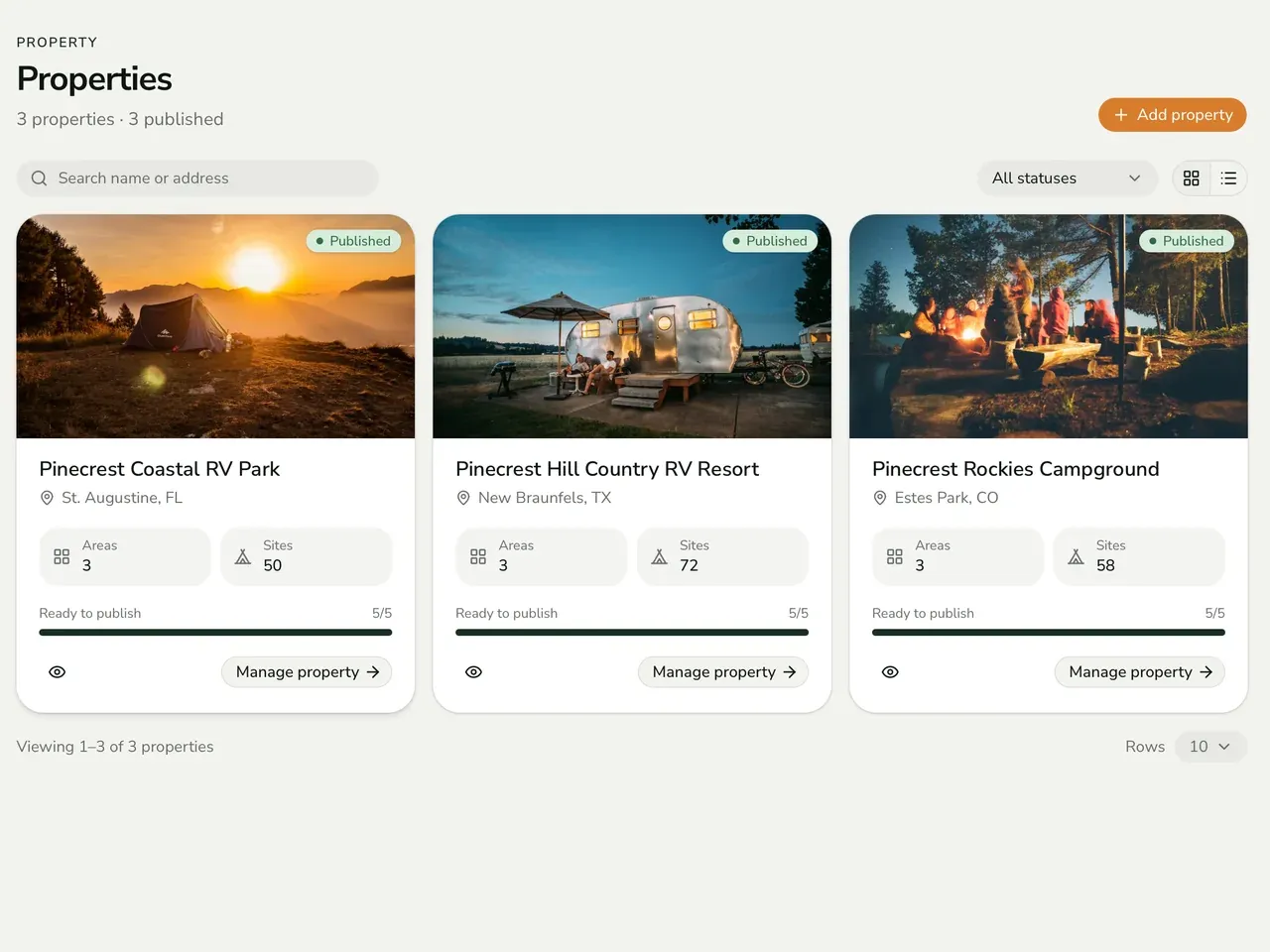
Next came the Park Manager Portal and the Functional Fox Admin Portal, with analytics, sign output and CSV import.
- 05
Test the attacks and audit the build
Six suites hold 43 automated end-to-end tests, including tenant isolation, privilege escalation and sign permanence. An internal security audit found three critical defects, and all three were fixed before handover.
What a scan does and what each portal controls
Each marker carries a permanent QR URL. When a guest scans it, the platform checks that the customer account, property, site and marker are all active. Only the published content for that site and its area comes back. Nobody installs an app or signs in.
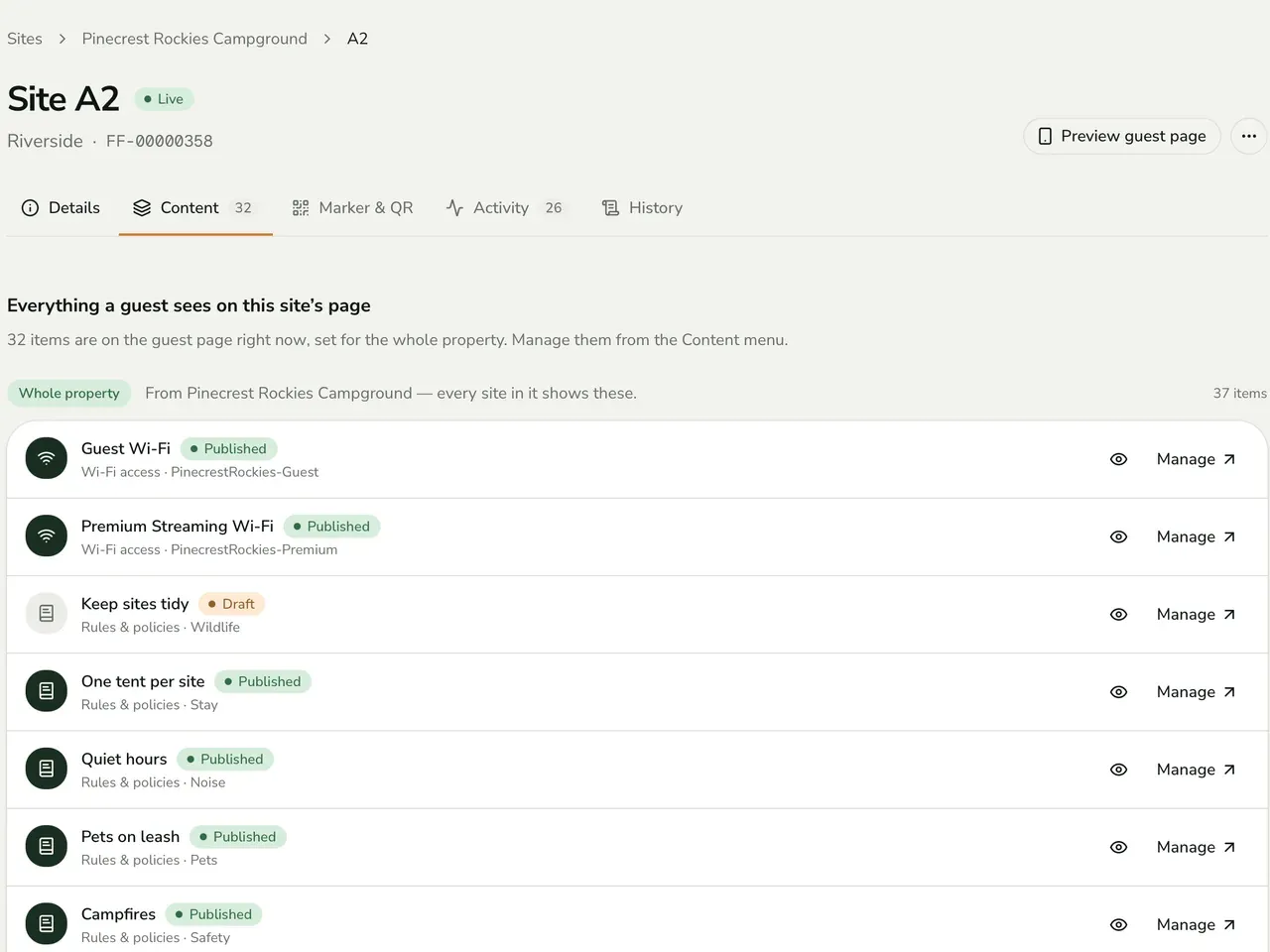
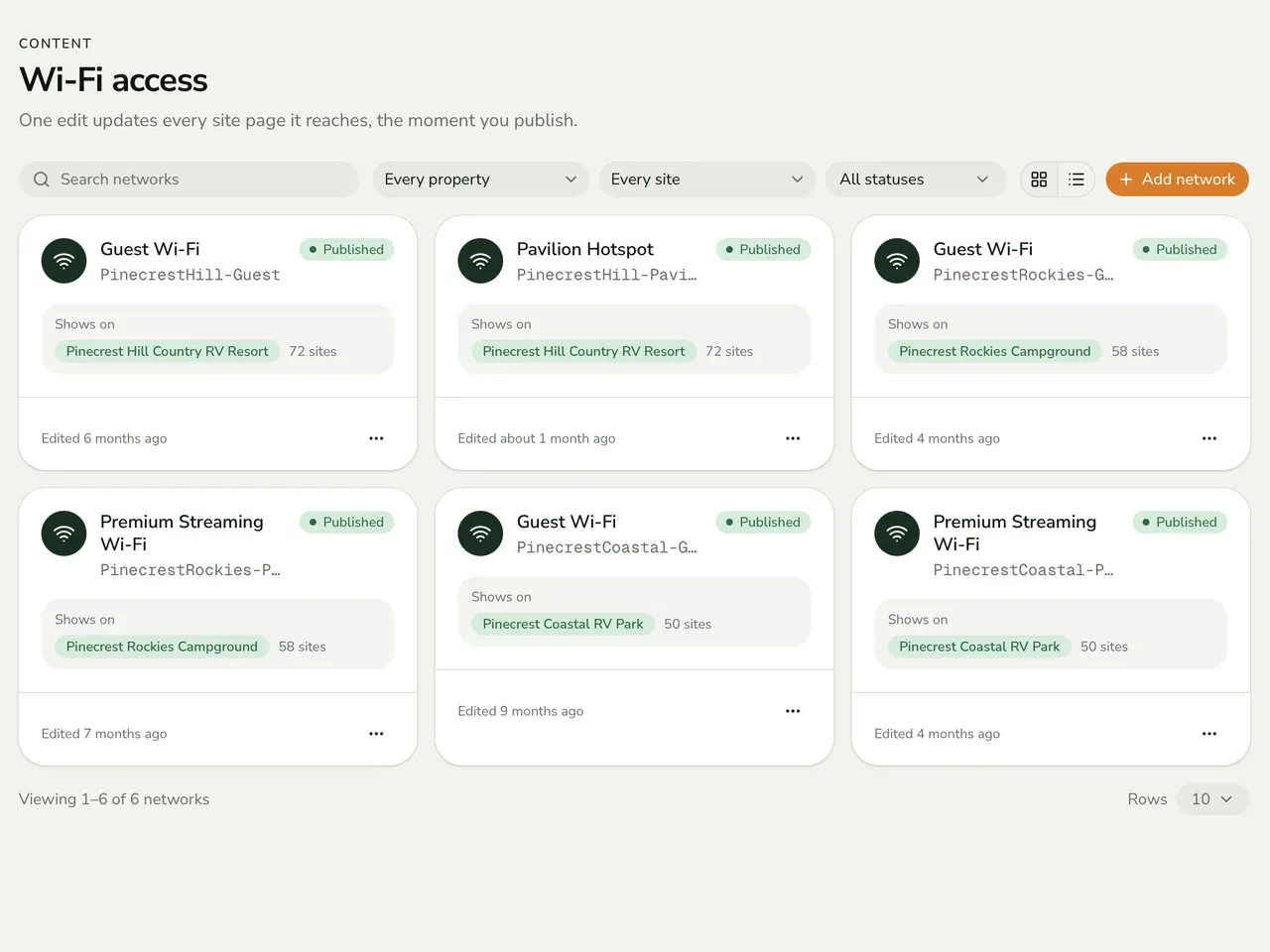
Park managers edit in a draft-then-publish flow, so a change goes live on the next scan and no sign gets reprinted. Functional Fox provisions markers in batches of up to 1,000 and suspends or reactivates accounts. If you're buying a multi-tenant product, check this part first. Row-level security is forced on all 23 database tables, so the database decides who sees what. It runs on Vercel and Supabase Cloud.
- ScanA guest points a phone camera at the marker.
- ResolveThe permanent URL maps to one site. Retired paths redirect.
- Status checkCustomer, property, site and marker must all be active.
- AssembleOnly published content for that site and area comes back.
- LogThe scan is saved with a time and a coarse device type.
If any check fails, the guest sees "Site unavailable".
Tech stack
- React 19
- TypeScript
- Vite 7
- React Router 7
- TanStack Query 5
- Recharts
- PostgreSQL 17
Platform
- Supabase
- Vercel
Libraries
- qrcode
- pdf-lib
- papaparse
Testing
- Playwright
- Vitest
Metal doesn't update. Once a URL is printed on a campground sign, it has to work for the life of that sign. That rule shaped the build: locked slugs, logged renames, redirects for old paths and a test suite for sign permanence. Tenant isolation was the other hard part. A park with a valid login must still never read a neighbor's data, and the tests attack exactly that.
