

PeopleMuster
Approved leave lands in the capacity plan by itself.
An HR and project delivery platform we built and run our own team on, where attendance, leave, timesheets and capacity share one employee record.
- Client
- Hashlogics (our own product)
- Industry
- HR and workforce management
- Status
- In daily use by the Hashlogics team
- Engagement
- Product we built and run · HR, workforce and project delivery platform
PeopleMuster is an HR, workforce and project delivery platform that Hashlogics built and runs its own team on every day. Attendance, leave, timesheets, project assignments and capacity planning all hang off one employee record. If your company sells its people's time, you know the gap this closes. HR sits in one tool and planning sits in another. Someone keeps the two in step by hand.
What goes wrong when HR and projects live apart.
Employee details sit in different tools, so the same person gets typed in more than once.
Attendance lives in one place and project work in another, with nothing joining them.
Approved leave never reaches the resource plan unless somebody copies it across.
Timesheets and utilization are tracked by hand.
Managers get only a partial view of who is free and who is booked on which project.
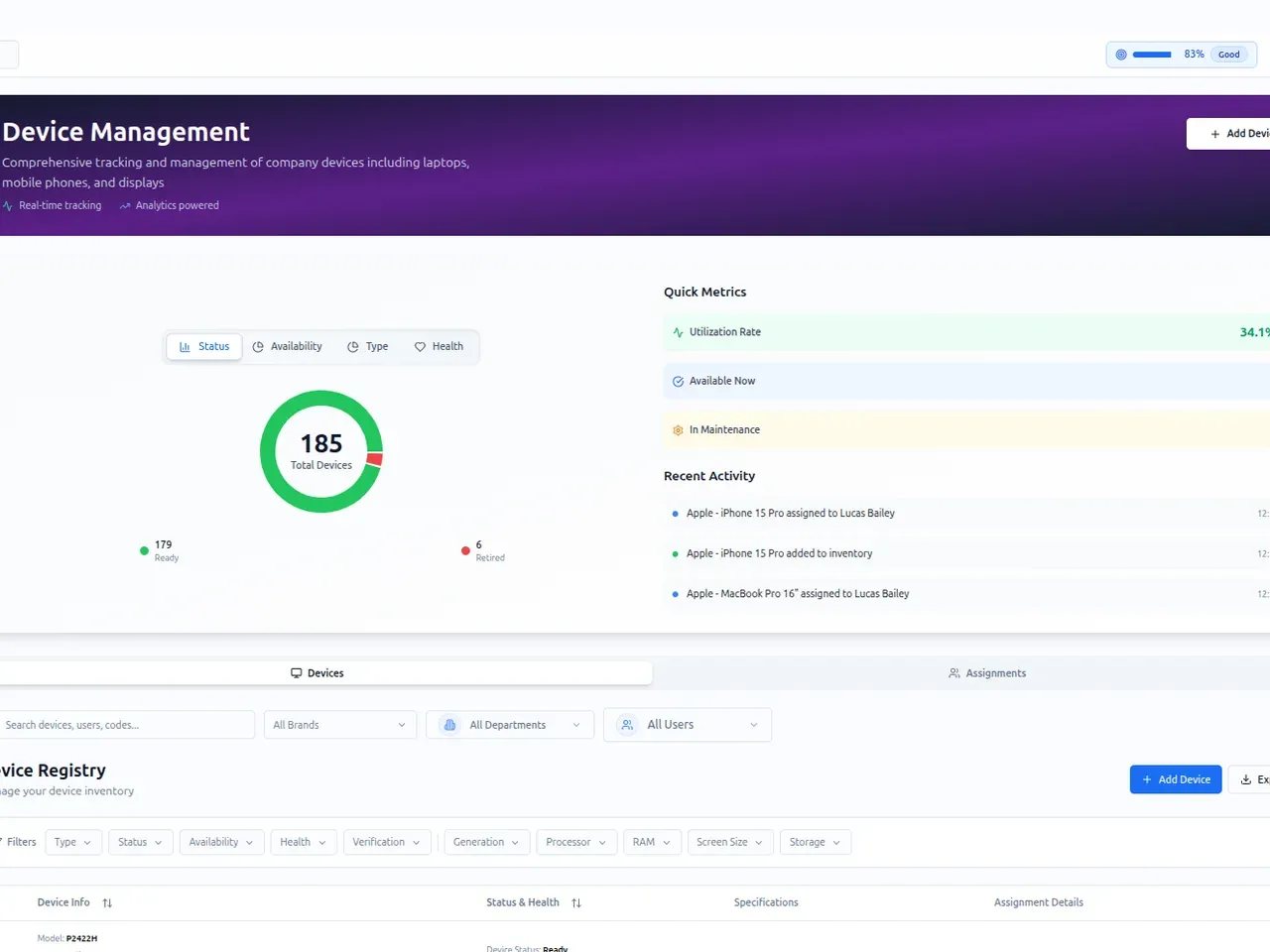
Laptops and other company devices are tracked apart from the people holding them.
It is hard to keep a clear history of who changed a record, and when.
What success needed to look like
- Bring HR and project operations into one platform.
- Cut the manual matching between systems.
- Tie each person's availability to project planning.
- Let a company switch on only the modules it needs.
- Control access by role, and keep a history of every change.
- Connect the attendance hardware and the tools the team already uses.
How PeopleMuster was put together.
- 01
One employee record first
Every workflow reads the same person record, so the HR screens and the project screens never hold two copies of it.
- 02
Modules that switch on and off
Each function is its own module. A company turns on what it needs and leaves the rest off.
- 03
Access rules in the database
Five roles and 64 separate permissions decide who sees what. Admins can add custom roles, and access rules are enforced in the database itself, as well as on screen.
- 04
Hardware and chat tools wired in
PeopleMuster syncs punches from ZKTeco attendance terminals, Slack carries reminders and reports, and Fireflies brings in meeting transcripts.
- 05
A record of every change
When someone edits a field, the audit trail keeps the before and after values, along with who changed it and when.
- 06
Our own team as daily users
We check in, request leave and log hours on PeopleMuster every working day.
One employee record behind HR and delivery.
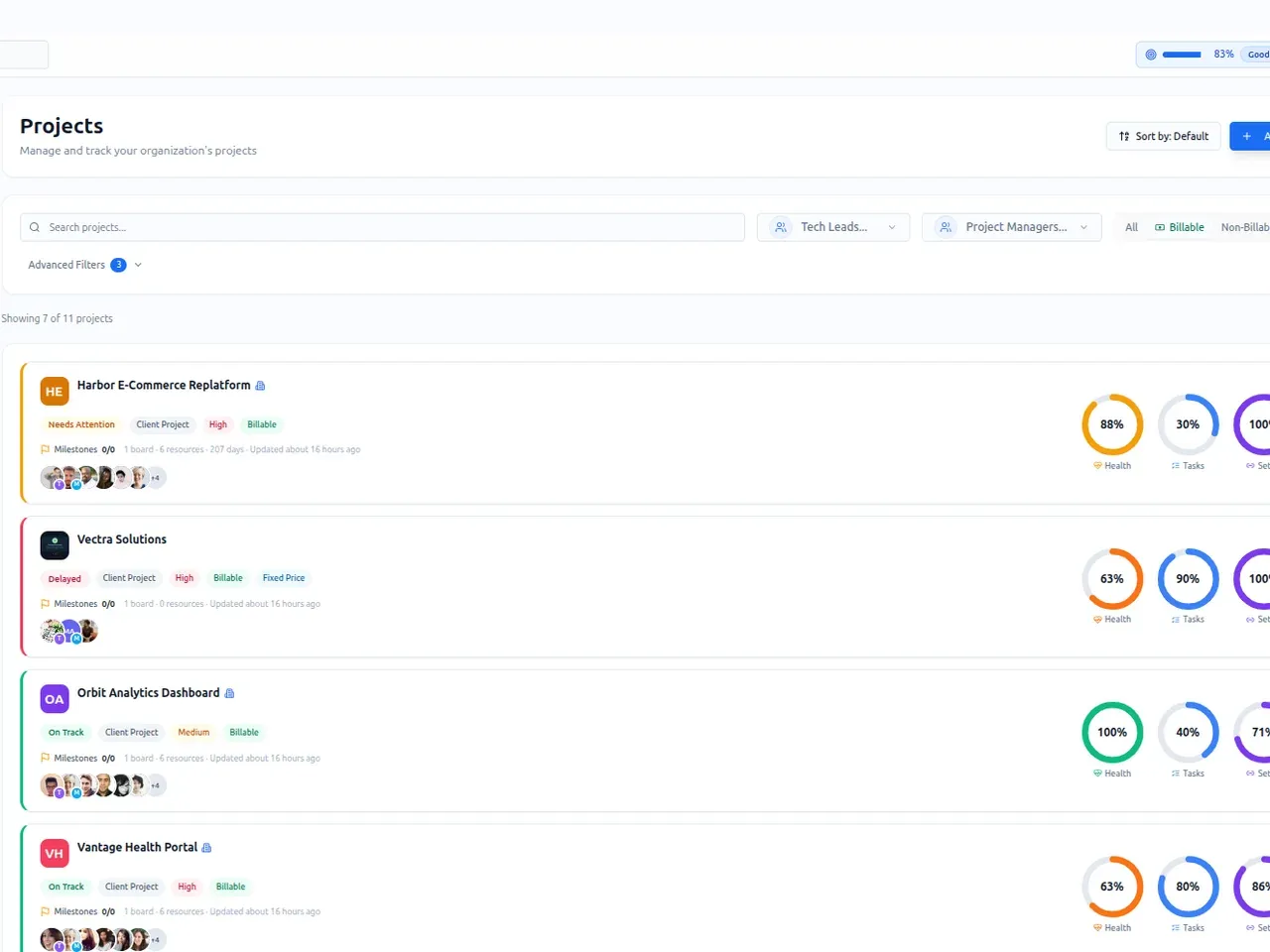
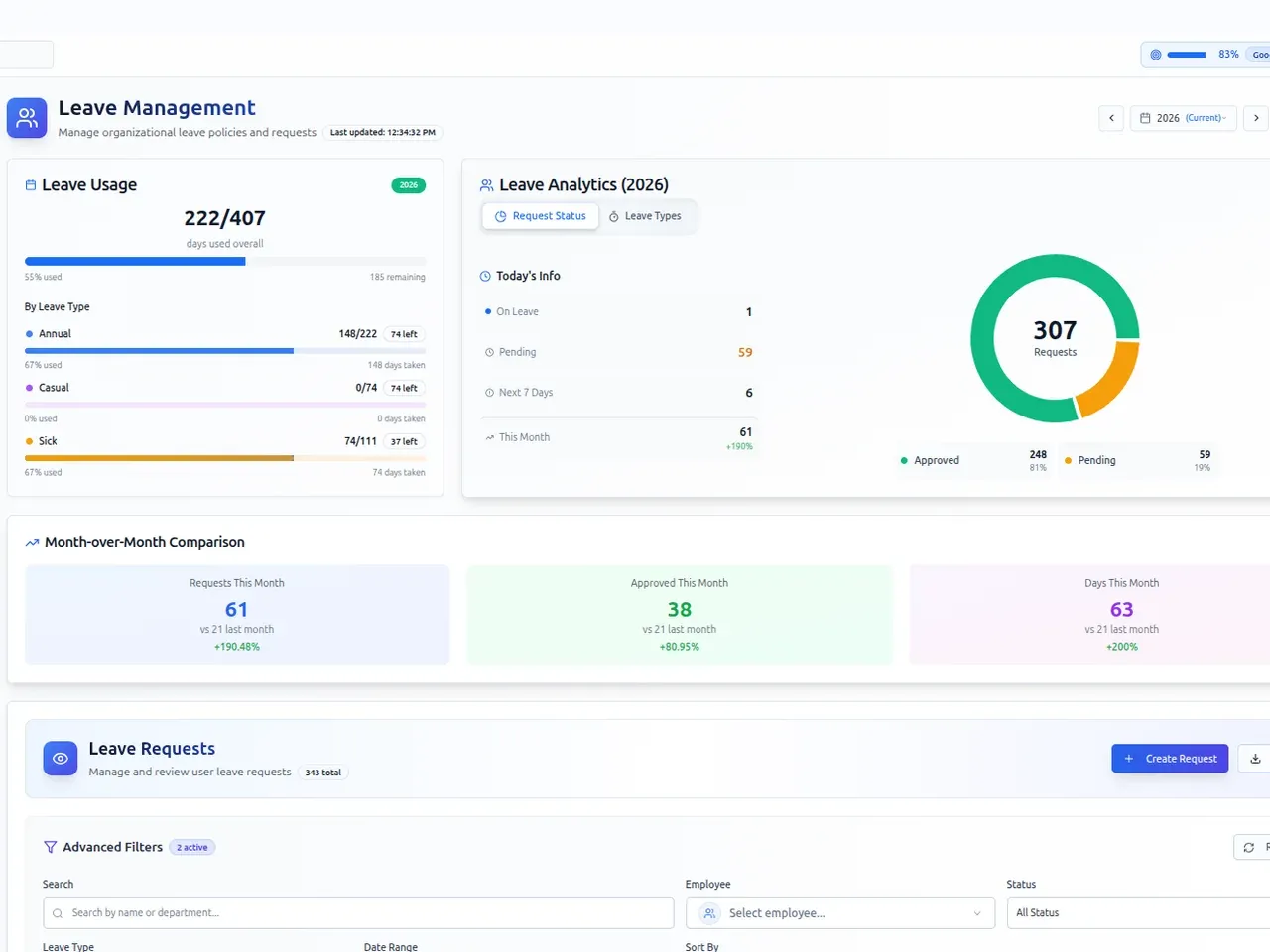
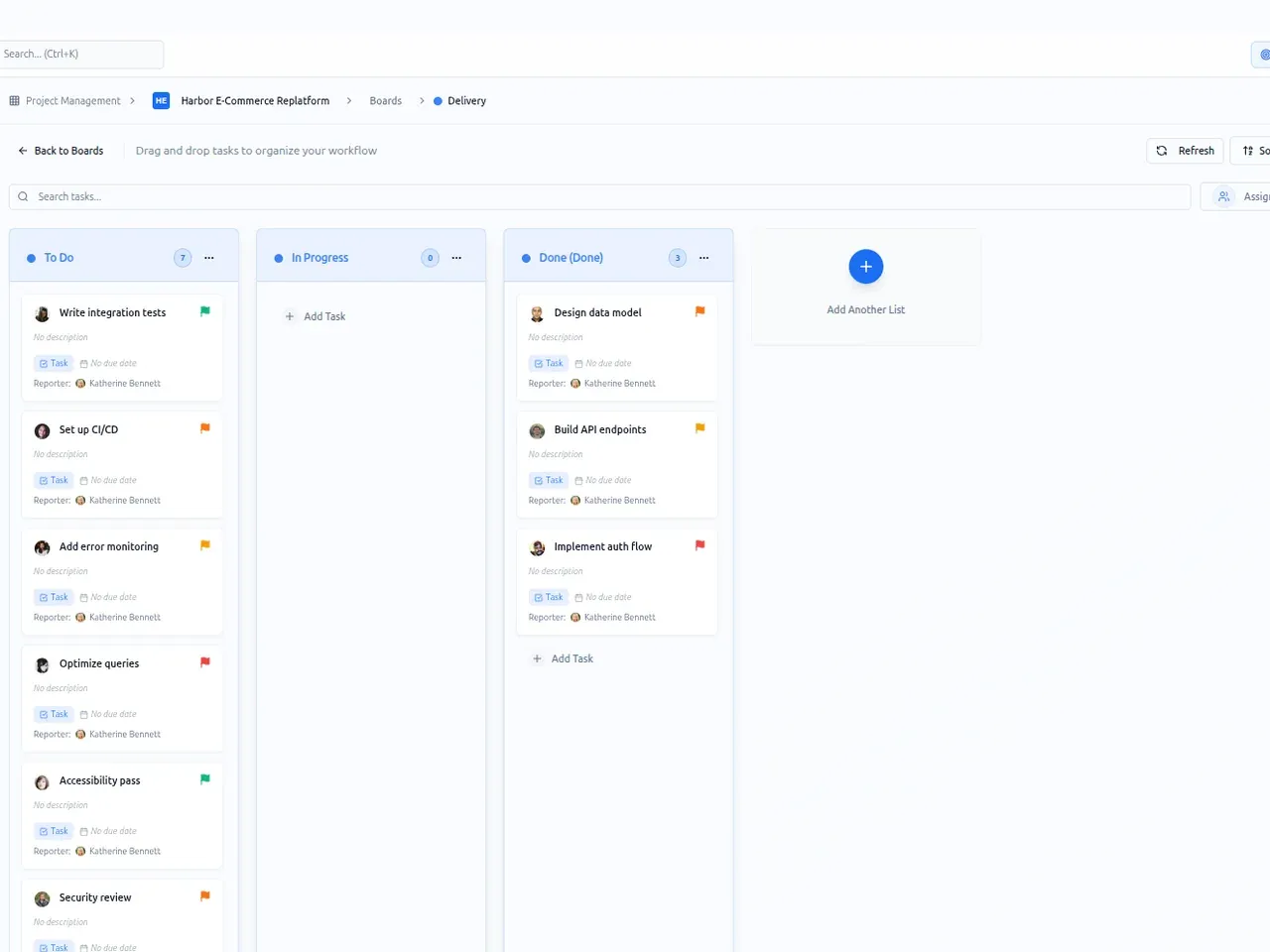
PeopleMuster joins HR and project delivery in one web application. On the people side it covers the team directory, org chart, attendance, shifts, leave, a holiday calendar and daily timesheets. On the delivery side it holds clients, projects, Kanban boards, resource allocation and utilization reports. Both sides read the same employee record.
That shared record is the point. When a manager approves leave, those days show up in the capacity plan right away, next to the company holidays. Hours logged in timesheets feed utilization by project and by department. Nobody lines up a leave calendar against a planning sheet.
- RequestAn employee asks for leave against a yearly quota.
- ApprovalA manager approves it from the leave queue.
- Capacity planThose days show as leave in the allocation grid.
- TimesheetsHours logged by project go through approval.
- UtilizationReports show hours by project and department.
Every step reads the same employee record, so nothing is copied between tools.
Platform
- Web application
- One database per company
- Switchable modules
- Role-based access
- Field-level audit trail
- One-time-code sign-in
Integrations
- ZKTeco attendance terminals
- Slack
- Fireflies
- OpenAI
- Cloudflare Turnstile
The hard part of PeopleMuster was making its modules agree. Leave trackers, timesheets and planning grids are familiar tools on their own. An approved leave request has to reach the capacity plan with nobody carrying it between screens. Logged hours have to reach utilization the same way. That only holds when every module reads one employee record. If your HR tool and your planning tool disagree today, a shared record is what you're missing.
